Can whacl combine several WhatsApp messages into one AI reply?
Customers do not always send one clean question. They may send “Hi”, then “I need a quote”, then a photo, then “Can you deliver on Friday?” within a few seconds. If an AI assistant replies to each WhatsApp message as soon as it arrives, the customer may receive several partial answers instead of one response to the complete request.
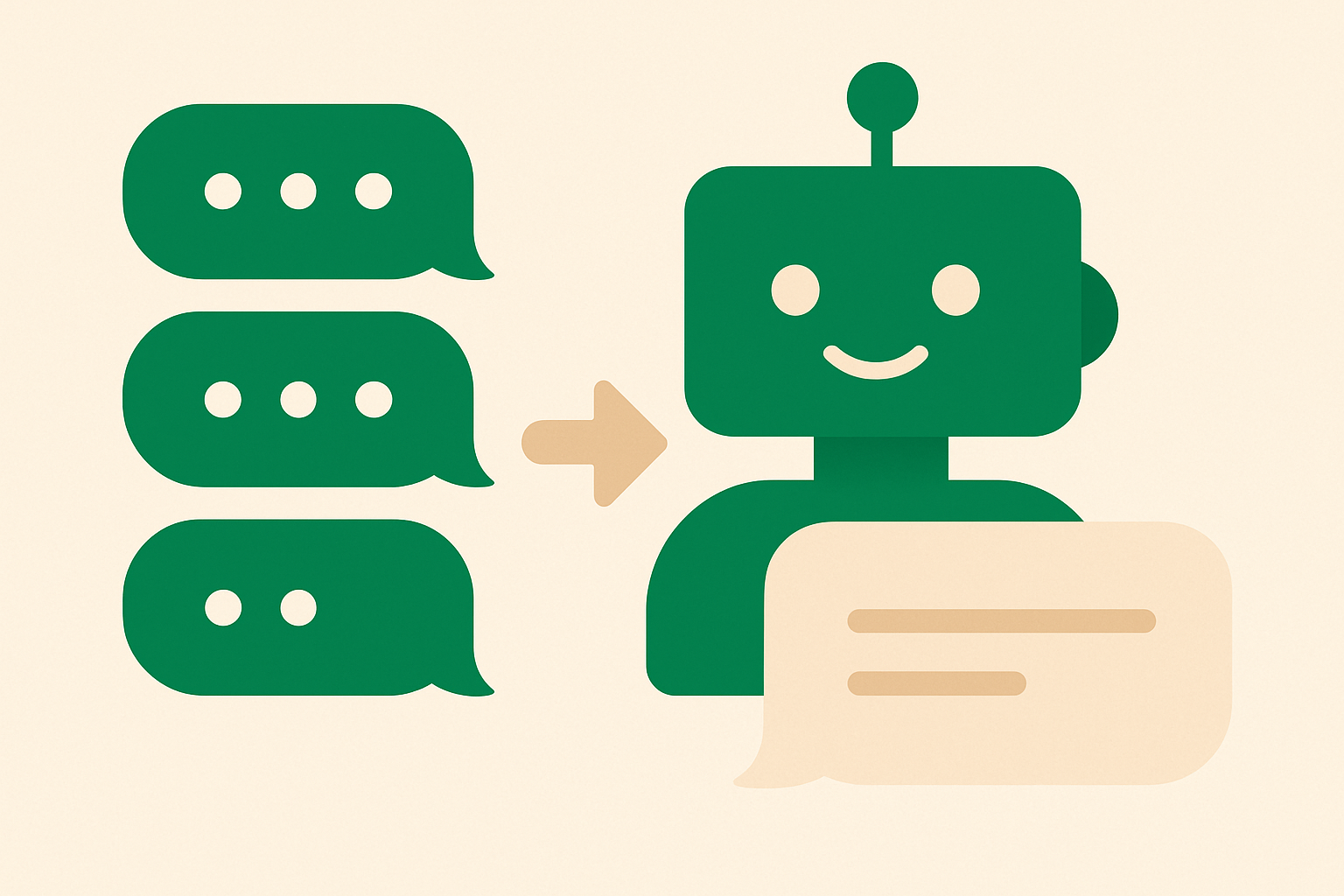
whacl can wait for the message burst to finish, group the separate messages into one customer turn, and generate one reply using the business’s catalog and policies. That lets it consider the product, quantity, location, delivery rules, and other details together.
Why grouping the messages matters
A WhatsApp bubble is not always a separate question. A customer might write “Do you have the blue one?”, then “In medium”, then “How much with delivery to Leeds?” Those messages belong to the same request.
Replying after only the first message can produce an incomplete answer. The assistant might confirm that the product is available before seeing the requested size, or ask for a postcode that the customer is about to send. Waiting briefly gives whacl the rest of the context before it answers.
How whacl handles a message burst
When a new WhatsApp message arrives, whacl can hold the response briefly and watch for follow-up messages. Messages arriving during that window are added to the same customer turn. Once the burst ends, whacl generates one reply from the combined content instead of sending a separate AI reply for every bubble.
For example, a customer might send:
- “Hi, I saw the oak dining table on your site.”
- “Is it still available?”
- “I need delivery to Bristol.”
- “Could it arrive next Saturday?”
whacl can process those messages together: check the catalog for the oak dining table, apply the delivery policy for Bristol, and answer whether the requested date is possible. If the available business information does not confirm a delivery date, the reply should say what is known and route the conversation to a person rather than inventing an answer.
The purpose is not to delay every reply. It is to avoid answering while the customer is still adding details. A short pause is useful when several messages arrive close together; a complete, single reply is usually more useful than several answers that need correcting.
The reply uses the business’s catalog and policies
Grouping messages only helps when the answer is based on the business’s actual information. whacl can use the catalog and policies provided by the business, including product names, variations, prices, stock information, opening hours, delivery areas, payment instructions, booking rules, and returns.
Suppose a customer writes, “Can I collect the white sofa tomorrow?” followed by “I can come after 5.” whacl can combine those messages and apply the collection information. If the policy says collections finish at 4pm, the response can explain that tomorrow after 5 is not available and give the next workable option. If collection requires a booking, it can explain that step.
A combined turn can also expose missing information. “How much is it?” followed by a product photo may still require the assistant to identify the item or ask for its name. whacl can use the full thread to decide whether it has enough information to answer, needs clarification, or should involve a person.
What the customer sees
The customer continues using WhatsApp normally. They do not need to format the request as one paragraph. The grouping happens in whacl before the AI response is sent.
For example, one combined reply could be:
“Yes, the oak dining table is currently available. Delivery to Bristol is £35, and our next Saturday delivery slot is 12–3pm. If you’d like to book it, send your postcode and I can check the slot.”
That answer covers availability, destination, delivery cost, and timing in one place. It asks only for the next detail the business needs.
Review mode and auto-send
The waiting behavior and review mode control different things. Waiting determines when whacl has enough of the customer’s messages to form a response. Review mode determines whether that response is sent automatically or held for a team member.
In auto-send mode, whacl can combine the burst and send the reply without approval. This is suited to routine questions covered by the business’s catalog and policies, such as product prices, opening hours, delivery areas, or basic availability.
In review mode, whacl prepares the combined reply for a team member to check before sending. This gives the team a way to review requests involving unusual requirements, discounts, complaints, uncertain stock, or information that the catalog and policies do not settle.
A business can use review mode while checking its information and move suitable routine conversations to auto-send later. Requests outside the documented rules can remain in review or go directly to a person.
When the conversation needs a person
Combining messages does not require every conversation to stay with the AI. A customer may be disputing a charge, asking about an existing order, requesting an exception, or sending a damaged-item photo. These cases can be handed to a human with the full thread context.
The team can see the original WhatsApp messages and the combined request whacl interpreted, rather than asking the customer to repeat the conversation. The person taking over can continue from the existing thread.
WhatsApp, Instagram, and Messenger in one inbox
whacl’s inbox can contain conversations from WhatsApp, Instagram, and Messenger. Customers may send product details, quantities, or locations as several short messages on any of those channels. whacl can use the messages already in the thread before replying, while keeping the conversation attached to its original channel.
The same workflow applies whether someone sends “price?”, a product name, and a location on Instagram or sends four booking messages on WhatsApp: combine the relevant context, use the business information, and either send the reply or put it into review. If the request needs a person, the handoff includes the thread context.
Choosing the model for the combined reply
whacl lets the business switch between Claude, GPT, and Gemini from one setting. The selected model handles the combined customer turn using the business’s catalog and policies.
This gives the business a way to compare how the available models handle its product language, policy questions, tone, and longer requests. The customer does not need to know which model was selected: they send their messages, whacl groups the burst when appropriate, and the reply is either sent or held for review.
Does waiting increase AI costs?
Grouping several messages into one request can avoid generating several replies to what is actually one customer question. whacl includes cost-per-reply tracking, so the business can monitor the cost of its conversations and see how reply volume changes when message bursts are grouped.
The number of incoming bubbles is not the same as the number of customer requests. Five messages about one order should not automatically produce five AI answers. The business should still use review mode or human handoff when a low-cost automatic reply could make an incorrect delivery promise or otherwise go beyond the available information.
When should whacl wait, and when should it reply?
Waiting is most useful when several short messages arrive close together, when a question is followed by details such as size or location, or when a product request is followed by quantity and delivery information. In those cases, a brief pause can prevent an incomplete answer.
An immediate reply is more appropriate when the customer has sent a complete question and no follow-up is arriving. For example, “What time do you close today?” usually does not require a waiting period. The goal is not to delay every interaction; it is to answer the full message burst as one request when the customer is clearly still adding information.
So the direct answer is yes: whacl can wait briefly for a customer’s WhatsApp message burst, combine the messages, and produce one AI reply instead of replying separately to each bubble. It can use the business’s information, send automatically or wait for review, and hand the thread to a person when the request is outside the documented rules.